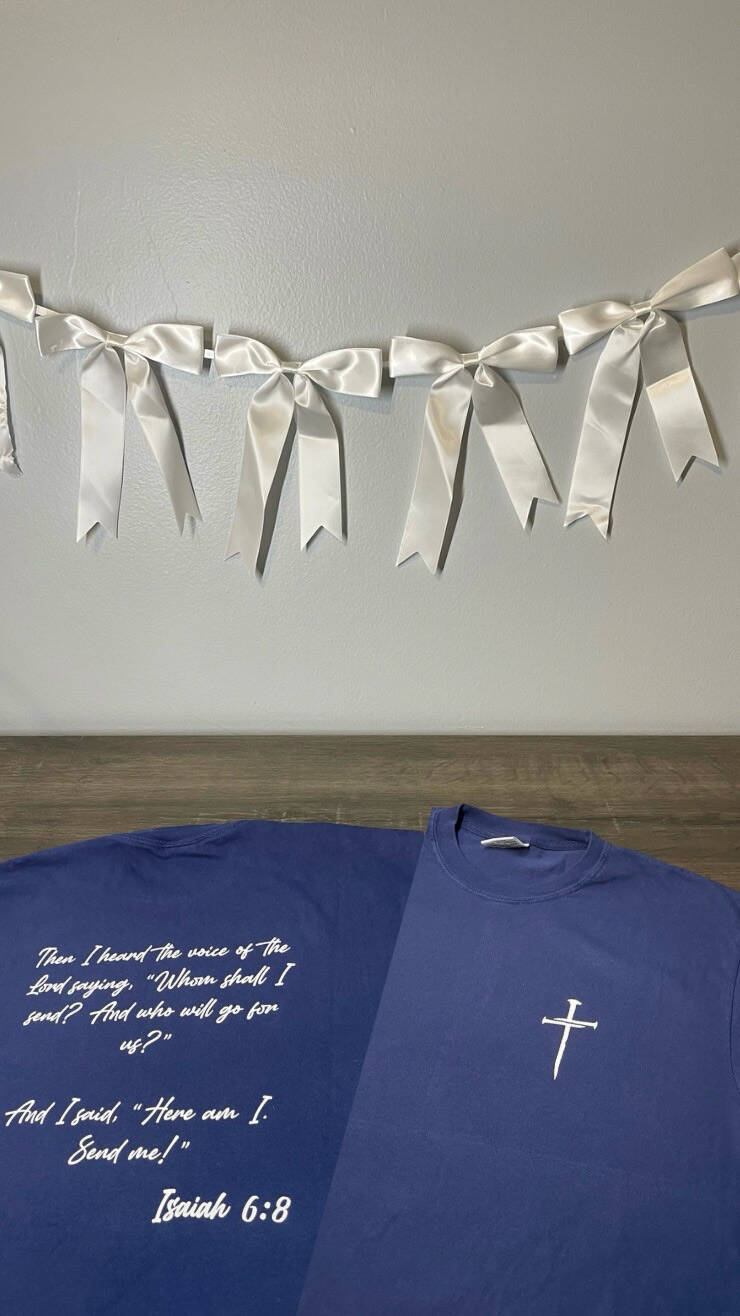
DIY Gift Ideas: DIY T-shirt
Welcome to my DIY gift ideas! Today's gift idea is a homemade T-shirt!
For this project, you will need:
- HTV (heat transfer vinyl)
- T-shirt of choice (I used Comfort Colors)
- Standard grip mat
- Weeding tool
- Heat tape
- Parchment paper
- Lint Roller
- Cricut (I have the Cricut Maker 4)
- Heat press (I used an iron, and I highly do not recommend it. A heat press is better for longevity and making the vinyl secure. I will be going back over the design with a heat press)
I wanted to make my husband a shirt with his favorite bible verse on it, so I created my design in Cricut Design Space. On the front of the shirt is a cross image I found in Cricut Design Space, and for the back, I put the Bible verse. The verse is:
"Then I heard the voice of the Lord saying, 'Whom shall I send? And who will go for us? And I said, 'Here am I. Send me!'" - Isaiah 6:8
I used white heat transfer vinyl on a navy blue shirt. Once you create your design and have the Cricut cut it, you will weed it out using the weeding tool. Always apply HTV shiny side down on the standard grip mat and mirror the design. Use the weeding tool to weed out the design, and then it is ready to apply on the shirt! I ironed (or heat pressed) the shirt first, folded it in half, and made an iron line so I knew where the center was. I also folded the word design on the back in half to find the design's center. Make sure to fold it sticky sides out so the design doesn't stick to itself. I lint-rolled the shirt, then applied the design using heat tape. I covered it with parchment paper. After ironing (heat pressing), the images on the shirt were done! This was so fun, and it turned out exactly how I wanted it! My husband loved it too and even wore it to dinner the same night he opened it.
I hope you liked this post, and if you decide to try a DIY t-shirt, tag @sydneyj.artanddesign on Instagram or Facebook. A video of this DIY can be found on my socials as well!
Have a blessed day,
Sydney